

Managing costs with projects
Create a project when you want to manage the budget for an event or campaign separately. Add card and account transactions and the spending status is calculated for you.
Creating one (3 steps)
Section titled “Creating one (3 steps)”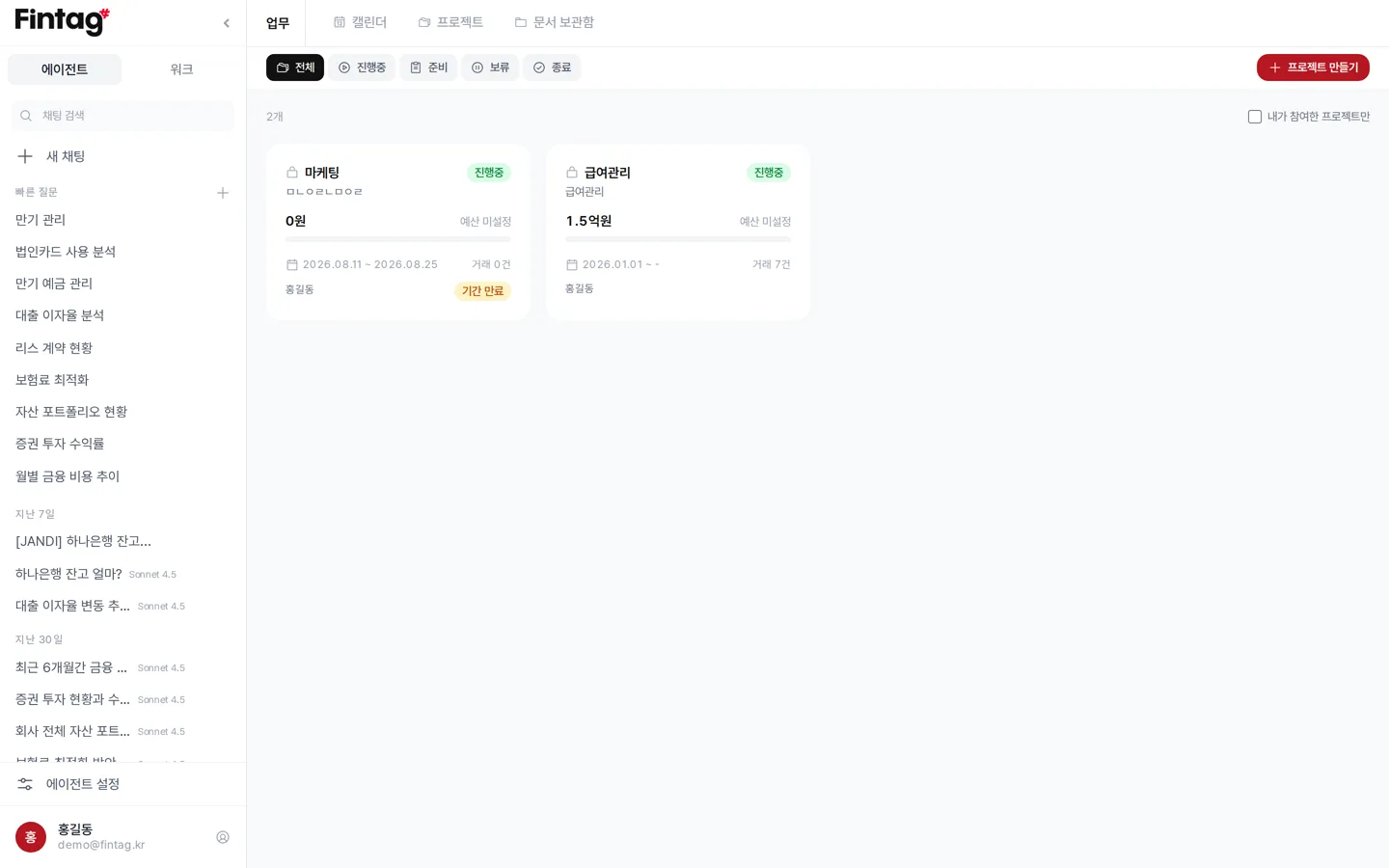
Step 1. Basic information Set the project name, period, budget, owner, and team members.
- If you do not enter a budget, only the amount spent is shown.
- Make it a private project (비공개 프로젝트) and only the owner and the members you designate can see it.
Step 2. Conditions for finding transactions Set the card/account, tag, and amount conditions. Transactions matching those conditions are found as candidates.
Step 3. Choosing transactions The list of matching transactions appears. Only the transactions you check are added to the project.
What the details screen shows
Section titled “What the details screen shows”- Spending rate against budget, and the remaining amount
- Number of expenses / budget remaining / missing receipts / attached files figures
- Spending status by tag
- The project’s spending records
- If 40% of the period has passed but 70% of the budget is spent, a notice such as “You are spending quickly” appears
Adding more transactions
Section titled “Adding more transactions”- When you open a project, new transactions matching the conditions are pointed out to you.
- Record cash spending that is not linked with Add Expense Manually (지출 직접 입력).
- Attach receipts and contracts to a transaction as receipts (증빙). The same document can be linked to several transactions.
Creating a report
Section titled “Creating a report”Press Create Report (보고서 만들기). Choose a type and the AI writes the report and saves it to the notes.
| Type | Used for |
|---|---|
| Detailed spending report | Every expense in the period laid out in a table |
| Budget execution report | Checking spending rate, remaining budget, and burn speed |
| Spending analysis by account and tag | Totals and shares based on tags |
| Monthly spending trend report | Month-by-month flow and change |
| Project settlement report | For submission at close-out |
Transactions and notes can be downloaded as Excel.
Try it for
Section titled “Try it for”- Setting a budget for an exhibition or event and tracking actual spending.
- Preparing settlement material for a government support program along with receipts.
- Splitting campaign costs by department and comparing them at month-end.