

Financial calendar
Payment and maturity dates for your linked assets appear on the calendar automatically. You do not need to enter them yourself.
Events created automatically
Section titled “Events created automatically”| Asset | Events created |
|---|---|
| Card | Card payment, card expiry |
| Loan | Loan repayment, loan maturity |
| Deposit / installment savings | Maturity |
| Insurance | Premium payment, policy expiry |
| Lease | Lease payment, lease expiry |
- Opening the calendar screen reads your asset data and updates the events.
- Events are created 2 years ahead.
- The nearest card payment is shown with the actual amount once the bill is confirmed.
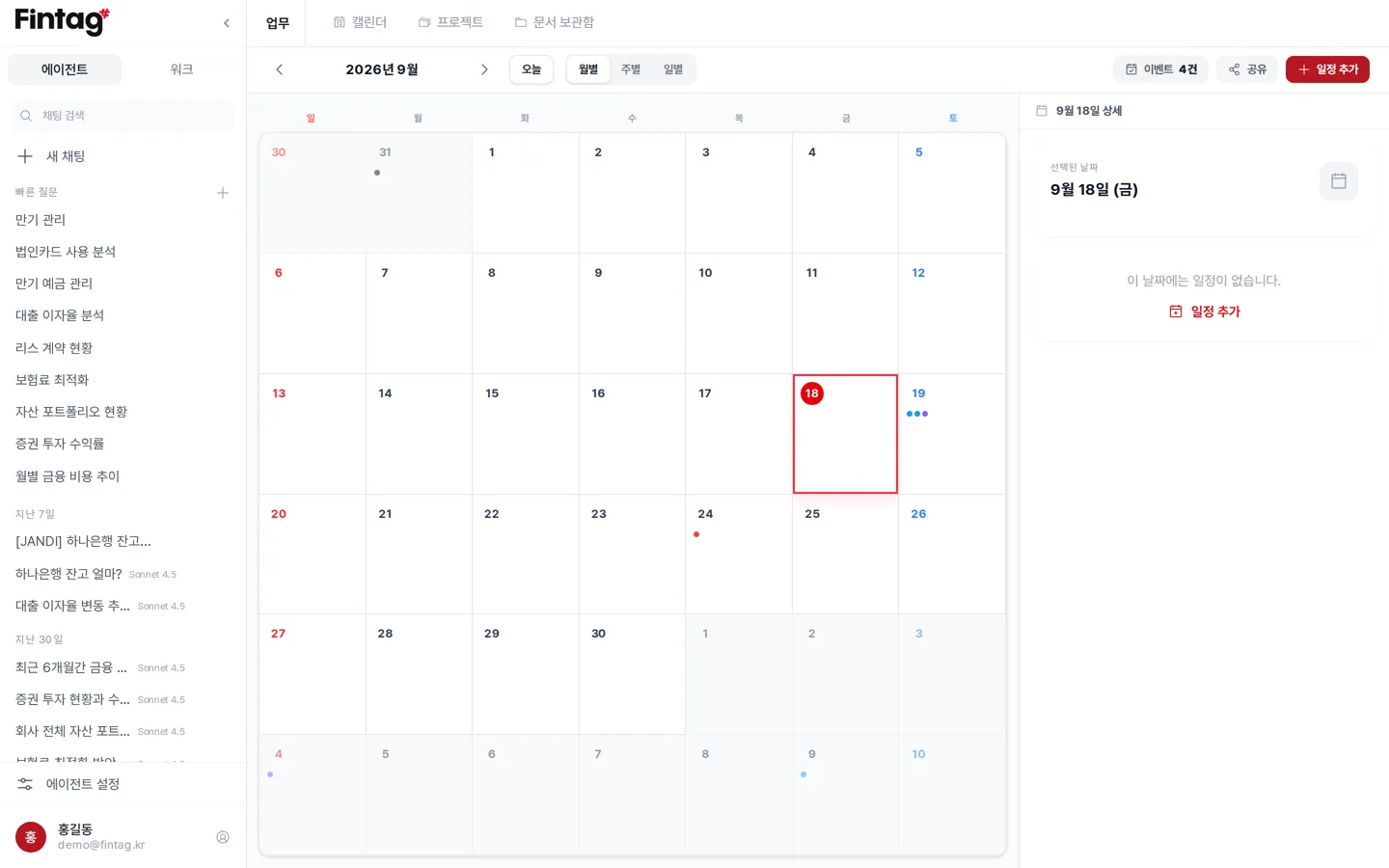
Viewing options
Section titled “Viewing options”- View events by month / week / day.
- Press the Today (오늘) button to return to today’s date.
- Click a date and that day’s events are grouped into Maturity and expiry / Payments / Other events.
Adding an event yourself
Section titled “Adding an event yourself”Press Add Event (일정 추가) and enter a title. The date can be a single day or a range. You can also enter a location, a note, and a color. You can ask in the AI agent, “Add a rent payment event on March 15.”
Viewing in Google or Apple Calendar
Section titled “Viewing in Google or Apple Calendar”
Press Share and the sync address appears.
- Copy the address.
- Paste it into “Add calendar from URL” in Google Calendar or Apple Calendar.
- Events are then reflected automatically. You can also download an
.icsfile.
Try it for
Section titled “Try it for”- Syncing with the finance manager’s work calendar so payment dates are never missed.
- Checking at the start of the month everything that goes out this month in one view.
- Asking the AI, “Any maturities or payment dates next week?” before a meeting.