

Response style and usage settings
Agent Settings (에이전트 설정) is where you check how the AI responds and how much you have used. Open it from the bottom of the left menu. You can also open it from the Settings menu.
Response style
Section titled “Response style”You can set the AI’s tone and answer format. What you set stays applied.
- Write what you want in Response guidelines (응답 지침) as sentences. For example: “Answer politely and concisely.”
- Pressing a phrase under Quick settings (빠른 설정) adds one guideline line at a time.
- What you save applies from the next answer onward. It affects responses in chat and in external AI apps.
Common guideline examples
- Give the conclusion first, then the supporting reasons.
- Use lists instead of tables.
- Show amounts with comma separators and the rate of change.
- Add a one-line explanation for technical terms.
Checking usage
Section titled “Checking usage”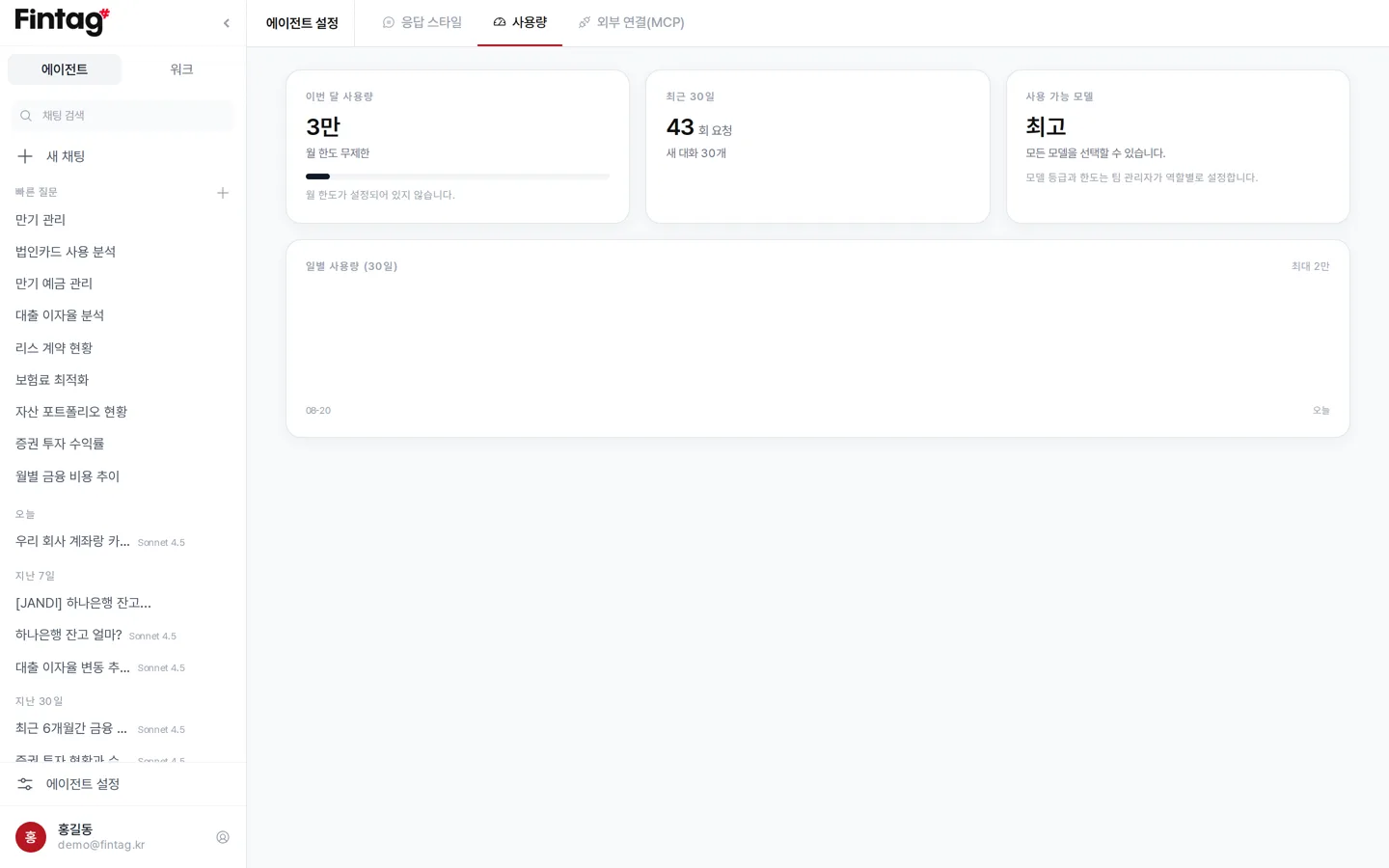
You can see this on the Usage (사용량) tab.
- This month’s usage (이번 달 사용량) — tokens used this month and your limit
- Last 30 days (최근 30일) — number of requests and new conversations
- Available models (사용 가능 모델) — the model tiers you can choose
- Daily usage (일별 사용량) — a graph of the last 30 days
Once you reach the limit, the AI provides basic guidance only until the 1st of the next month. To raise your limit, ask your team admin.
Who sets the limits
Section titled “Who sets the limits”Your team admin sets the monthly limit and model tier per role. Limits can also be set for individual members.
| Default role | Monthly token limit | Model tier |
|---|---|---|
| View only | 300,000 | Balanced |
| Finance manager | 1,000,000 | Balanced |
| Team admin | Unlimited | All |
Connecting external AI apps
Section titled “Connecting external AI apps”On the External Connections (외부 연결) tab, you can connect Fintag to apps such as Claude and ChatGPT. See Connecting external AI apps (MCP) for details.